
Table of Content
Read summarized version with
Did you know that companies with 10 to 15 personalized landing pages generate 55% more leads than those sticking to a single-digit lineup?
A personalized landing page pulls visitors in and guides them toward a clear action. It builds trust, highlights real value, and gives people fewer reasons to hesitate.
But to create and test personalized landing pages at scale and maximize your conversions, you need a reliable landing page builder. And this article is there to help.
Below, we have shortlisted the best 8 landing page builders after comparing dozens and listed their key features, pros and cons, and a brief verdict. This will help you compare better and choose the best tool for your needs.
Tl;DR
Fibr AI: AI-first landing page builder that auto-creates, tests, and personalizes landing pages at scale so each visitor sees the most relevant version.
Wix: Website and landing page builder for small businesses that want fast, no-code pages using templates, AI layout suggestions, and built-in hosting.
Unbounce: Conversion-focused landing page and pop-up builder with strong A/B testing, Dynamic Text Replacement, and flexible design options.
HubSpot: Landing page builder tightly integrated with CRM and email, ideal for teams that want forms, automation, and analytics in one marketing hub.
Leadpages: Landing page tool with strong collaboration, pop-ups, and alert bars, suited for teams that want to build and review pages together.
Landingi: Template-rich, AI-assisted builder for small to mid-sized teams that need reusable sections, A/B testing, and flexible publishing.
Instapage: Premium landing page platform for high-budget, high-scale campaigns with ad-to-page personalization and collaboration features.
Carrd: Lightweight builder for simple, fast-loading one-page sites like portfolios, personal profiles, and basic lead capture pages.
What are Landing Page Builders?
Landing page builders are tools that help you create focused, conversion-ready pages without coding. A landing page builder gives you the layouts, elements, and controls you need to design pages that match your offer and audience in minutes. Over 70% of marketers now use dedicated landing page software to improve campaign performance.
Here are some features the best landing page builder 2026 offers:
Drag-and-drop editors: Multiple tools come with drag-and-drop edit functionality that lets you build and edit pages visually (like adding sections or tweaking elements), without touching code.
Template libraries: Offer pre-built designs for product launches, lead magnets, webinars, or promotions for you to choose from. This ensures, you don’t have to design a page from scratch.
Built-in A/B testing: Compare different layouts, headlines, or CTAs to see which version brings in more conversions and make decisions based on real results.
Form builders: Capture leads directly on the page with custom fields, smart validation, and options like multi-step forms for higher completion rates.
Integrations: Connect your CRM, email platform, analytics tools, and ad accounts so every lead and event flows into your existing workflow automatically.
Mobile optimization: Make pages look great on every device with responsive layouts that adjust spacing, images, and text for easy reading and smooth interactions.
Analytics: Track views, clicks, scroll depth, and conversions clearly so you understand how your landing page performs and where users drop off.
What Should You Look for in a Landing Page Builder?
Here’s a quick checklist to help you focus on features that make a real difference in the best landing page builder:
✅ Straightforward editor: Lets you move elements around easily so you can shape the page the way you want without touching code.
✅ Strong template variety: Gives you flexible starting points for launches, lead magnets, events, and offer pages.
✅ AI assistance: Suggests layouts, headlines, and on-page tweaks that fit your goal.
✅ AI personalization: Creates versions for each audience, ad, or segment so visitors see content that feels relevant.
✅ A/B testing: Shows which version brings better conversions through clear comparisons.
✅ Real-time analytics: Shows traffic, clicks, and drop-off moments as they happen so you can spot what needs attention.
✅ Smooth integrations: Connects with your CRM, ad pixels, and email tools so lead data flows into your main workflow.
How Do the Best Landing Page Builders Compare With Each Other?
Before we get into the detailed overviews, here is how the best landing page builders compare with each other:
Tools | Best for | Features |
Fibr AI | AI-powered personalized landing pages | AI copy generation, automated A/B testing, dynamic personalization, bulk page creation, real-time analytics, and GEO insights |
Wix | Small businesses and simple campaigns | Drag-and-drop editor, 2000+ templates, scroll effects, AI email marketing, SEO tools |
Unbounce | Adding interactive elements like videos and pop-ups | Drag-and-drop builder, 100+ templates, pop-ups & sticky bars, video backgrounds, Dynamic Text Replacement, integrations |
HubSpot | eCommerce businesses | Drag-and-drop editor, templates, smart forms, SEO-friendly pages, device-specific content, and real-time analytics |
Leadpages | Collaborative landing page design | Mobile-responsive pages, pop-ups and alert bars, built-in analytics, and collaborative editing |
Landingi | Small to mid-size teams | Drag-and-drop editor, 400+ templates, AI tools, smart sections, A/B testing, integrations |
Instapage | High-scale campaigns and personalization | Visual editor, AI content suggestions, ad-to-page personalization, A/B testing, Collaboration, analytics, popups, forms |
Carrd | Simple one-page sites | Fast-loading pages, mobile responsive, basic analytics, SSL, and multiple sites under Pro plan |
The 8 Best Landing Page Builders 2026
Now that you know the basics of the top landing page builders, here are 8 top options to choose from. We will break down their features, pros, and cons, and talk about our experience with the tools.
Fibr AI
Fibr AI works as a landing page builder and optimization tool that automatically tests and personalizes your page variations. It refines your messaging and adjusts on-page elements, helping your landing pages convert more visitors with minimal manual effort.
Fibr AI's A/B testing engine runs multivariate tests and adapts landing pages and campaigns to the best variant. It generates individual hypotheses ranked by projected conversion lift and suggests changes to text, images, and layout elements in each hypothesis. That way, you get clear problem descriptions and impact estimates for better understanding.
Fibr AI's personalization engine monitors interaction signals and behavioral cues and adapts your web pages automatically.
You can import your ad campaigns and audience segments to tailor landing pages according to user intent for higher engagement and stronger conversion rates. Plus, it connects all your ad platforms and personalizes marketing campaigns, too.
Fibr also offers traffic allocation and visitor targeting, so your landing pages always hit the mark with all user segments. You can approve the hypothesis manually or automate the whole process for better convenience. It will instantly promote the winning variants and archive underperformers.
Key features
Automates A/B tests using AI that learns from your visitors and keeps improving your pages
Generates multiple landing pages for different audiences, ads, segments, and regions from one interface, saving time when you scale campaigns
Automatically applies brand guidelines to maintain consistency
Generates hundreds of personalized landing pages aligned with your ads with Bulk Creation
Tracks performance for every variation in your bulk flow to see what is working.
Adjusts customer reviews, testimonials, and social mentions so they fit your ad content and messaging.
Monitors GEO data to measure how well your AI-driven optimizations perform across regions
Scale experiments across many pages or audience segments without extra manual work
Connect smoothly with tools you already use so your data stays in one place
Protect your data with strong security and compliance standards across the platform
Provide a free CRO audit to show where your landing pages are losing conversions
Pros
Boosts conversions by showing the right page to the right audience.
Saves time with automated page creation and personalization.
Reduces reliance on developers for testing and updates.
Helps campaigns perform better with AI-optimized messaging
Shows how to get featured in LLMs and AI snippets
G2 rating
4.6/5 stars
Our take
Here is why Fibr AI is different from generic AI marketing tools:
Automated workflows: Fibr AI handles your full CRO process, from creating tests to improving results, so you avoid manual work and don’t have to rely on developers
Efficiency: The AI runs quick experiments and iterates fast, helping you reach the best-performing version much sooner
Bias reduction: The hybrid approach of AI automation and human review ensures every decision is based on real data and stays free from bias
Scalability: The platform adjusts your CRO strategy to fit your goals and easily supports your expanding marketing efforts
Compliance and data security: With strong privacy practices and strict policy standards, Fibr AI keeps customer data protected and maintains full compliance
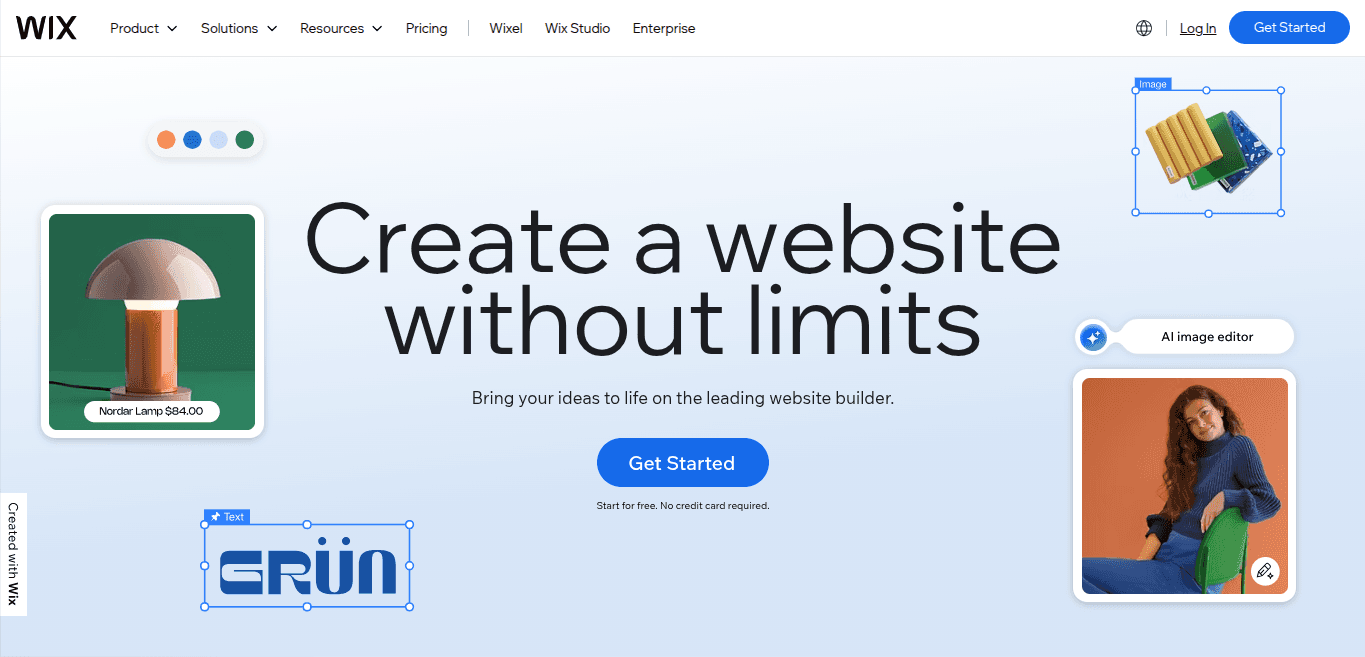
Wix is an AI-powered website builder. You can just describe what you want in your landing page, and the software generates options for you. You can customize the pages as you want with drag-and-drop and advanced tailoring options. Wix also lets you market your website by launching social media ads.
Key features
Runs AI-powered email marketing to get more traffic and conversions on your landing pages
Offers over 2000 landing page templates to get you started easily
Lets you add scroll effects, animations, and interactions without coding
Offers tools for SEO and AI visibility
Pros
Easy drag‑and‑drop editor makes design simple
Built-in hosting, SSL, and basic SEO tools let you launch landing pages from one platform
Cons
Once you publish, switching to a different template usually isn't possible without rebuilding the site
The free plan comes with ads and a branded domain, which is not ideal for a professional look
G2 rating
4.2/5 stars
Our take
Integrations with apps, email tools, and eCommerce make it versatile for small businesses. One downside we found is that the AI tools can be slow and a bit complicated for beginners, so expect a small learning curve when using automation features. Overall, it’s a solid choice for anyone looking to launch pages fast without coding, especially for simple campaigns or small-scale marketing efforts.
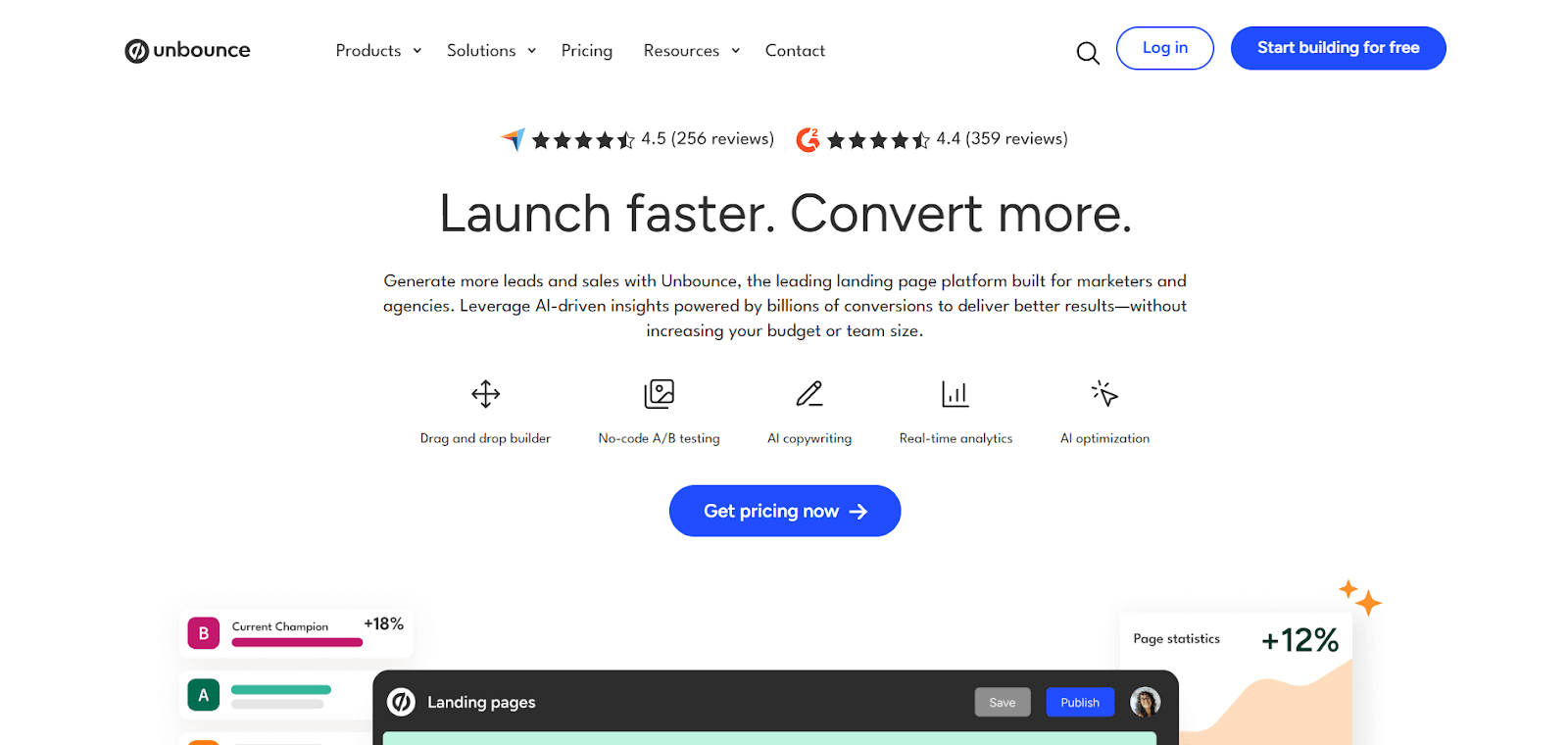
Unbounce is a landing page builder and optimization tool. The platform offers a drag-and-drop builder, 100+ customizable templates, and AI-powered tools. You can test headlines, layouts, and offers quickly and launch optimized landing pages without relying on a developer
This landing page builder also runs split tests, tracks performance in real time, and integrates with popular marketing tools, making it easy to connect your campaigns.
Key features
Offers pop-ups and sticky bars that appear based on how visitors interact with the page
Lets you embed video backgrounds and parallax effects for more engaging page designs
Connects with CRMs, analytics tools, and automation platforms via Zapier and webhooks
Ensures security with SSL encryption, two-factor authentication, and detailed audit logs
Uses Dynamic Text Replacement to tailor content according to what visitors search for
Pros
Support for pop‑ups and sticky bars gives extra flexibility for promotions, lead capture, and secondary CTAs
Integrations with popular CRMs, email tools, analytics, and ad platforms make it easy to stitch Unbounce into your existing stack
Cons
Pricing is on the higher side
You may face a bit of a learning curve
G2 rating
4.3/5 stars
Our take
When the goal is to launch landing pages fast, especially for ads or specific promotions, it delivers. The drag‑and‑drop design, solid templates, easy publishing, and A/B testing that helps you learn what works. However, optimizing for mobile and implementing complex flows can feel a bit fiddly, in our opinion.
HubSpot
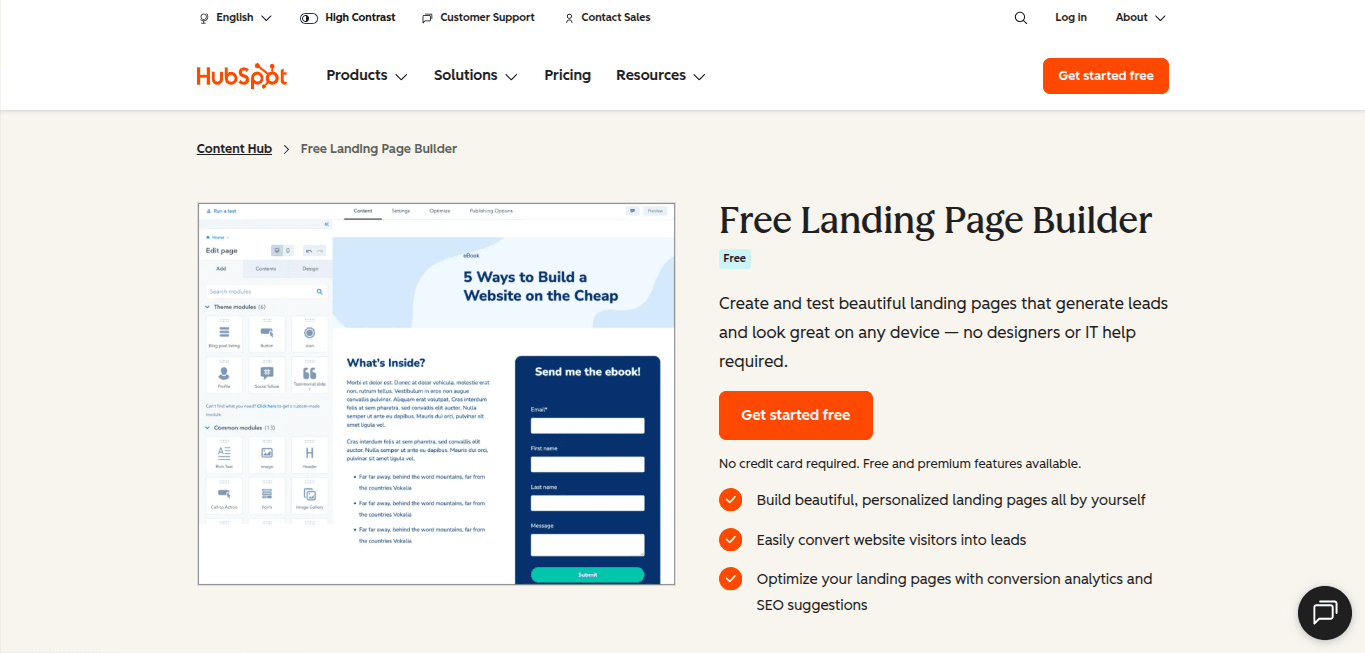
HubSpot’s marketing suite offers one of the best free landing page builders. It offers a visual editor with drag-and-drop blocks, making it easy to create pages that match your brand and campaign goals. Templates and pre-built modules help you launch quickly, while integrations with your CRM, email tools, and analytics keep all your marketing data in one place.
Key features
Offers slash and highlight commands to generate content for your landing pages
Lets you add SEO-friendly titles and descriptions to your web pages with just a few clicks
Shows different content according to the visitor’s device, lifecycle stage, contact details, and locations stored in your CRM
Identifies your top-performing landing pages
Pros
Smart forms and lead capture tools improve conversions
Real-time analytics provide clear insights into visitor behavior
Cons
Fewer design effects and animations compared with specialized page builders
Workflow and automation setup can be complex for new users
G2 rating
4.4/5 stars
Our take
We found HubSpot’s landing page builder very intuitive and reliable. The drag-and-drop editor, templates, and smart forms make creating pages quick, while real-time analytics show exactly how visitors engage. Everything connects seamlessly with the CRM and email tools, keeping lead data organized. However, the editor felt a bit slow when working with large pages with heavy media.
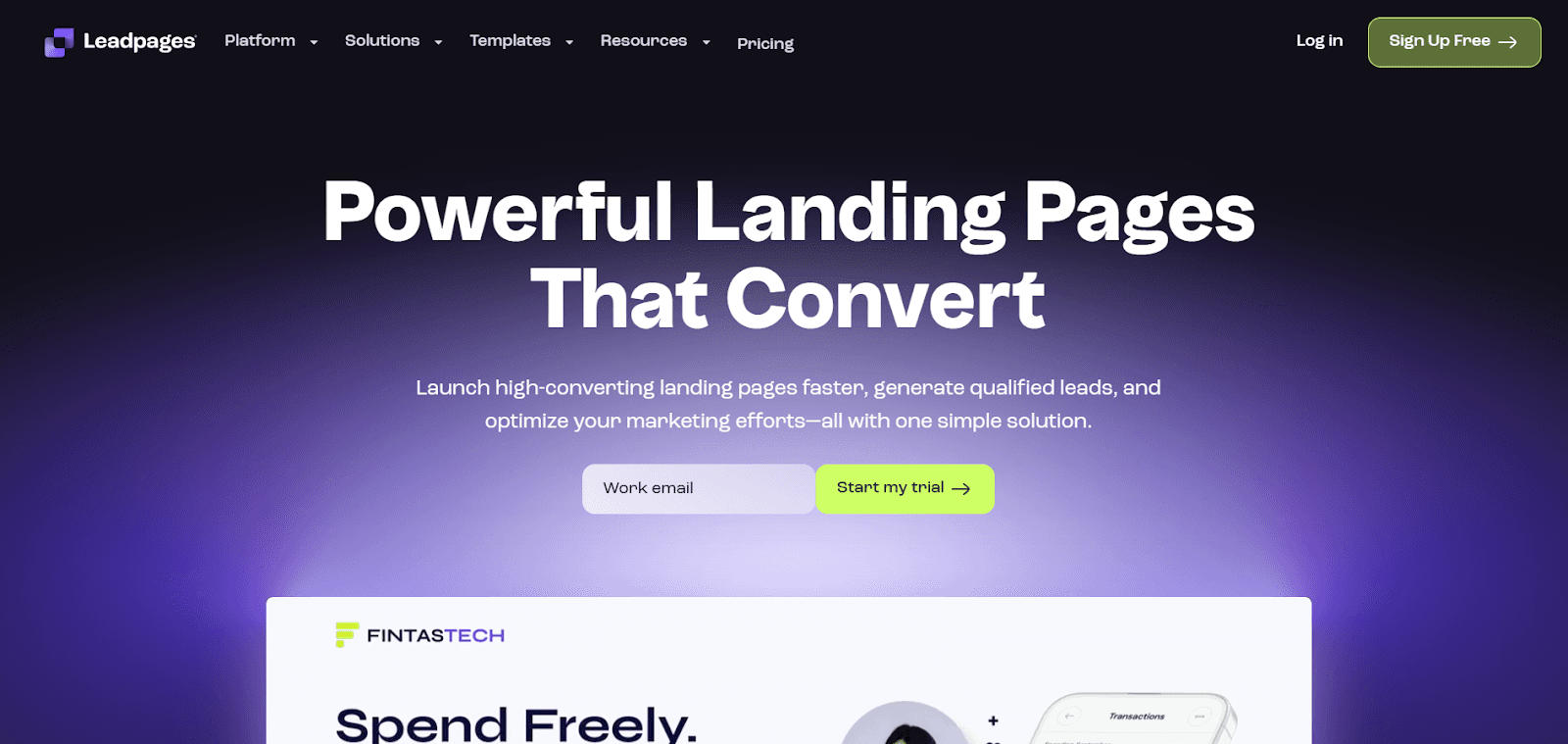
Leadpages is another top landing page builder. The highlight of this tool is its collaborative landing page design features. You can assign individual logins for every team member and leave feedback right in the builder.
The platform also offers conversion tips so you know what to improve as you build. You get pop-ups, alert bars, and lead capture forms that work together to grow your subscriber list. Leadpages also lets you A/B tests to compare ideas and understand what your audience responds to.
Key features
Supports mobile-responsive design, keeping your pages clear and attractive on any device
Lets you publish quickly to your own domain or a Leadpages-hosted URL
Integrates with email, CRM, and payment tools so leads flow directly into your workflows
Tracks page performance with built-in analytics, showing views, clicks, and conversions
Pros
Mobile‑responsive templates and secure hosting with SSL give confidence that pages will load reliably and safely on any device
The direct feedback option and collaborative features keep the entire team aligned
Cons
Some templates feel dated compared with competitors’ modern designs
The A/B testing feature isn’t advanced enough
G2 rating
4.2/5 stars
Our take
While LeadPages is quite easy to use, the plans are quite expensive. The support is not prompt enough either.
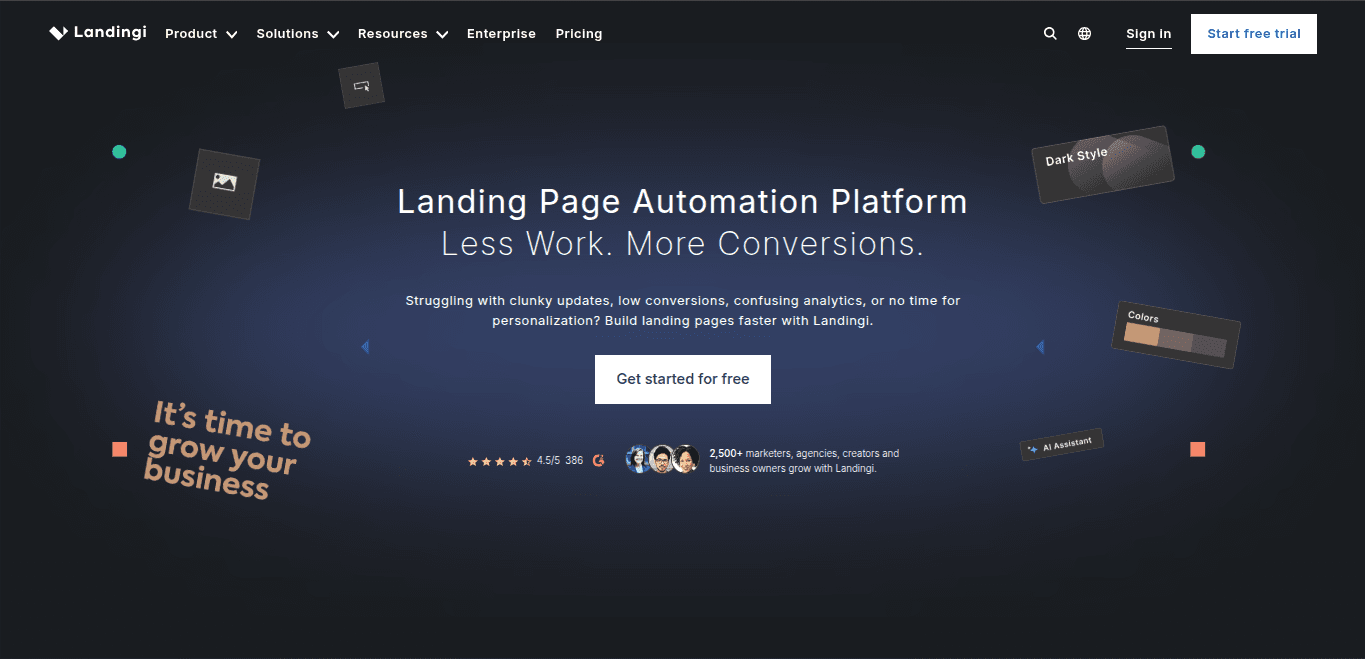
Landingi is a landing page builder that helps you create, publish, and optimize landing pages with the help of AI. It comes with a drag‑and‑drop editor, a library of over 400 templates, and features like A/B testing, pop‑ups, and built-in analytics.
The platform also supports integrations with popular CRM and marketing tools, and lets you work on microsites, one‑pagers, and mobile‑optimized pages
Key features
AI-powered tools for landing page copy, SEO metadata, and image editing inside the builder
Smart sections and reusable blocks to apply section changes across multiple pages
Built in A/B testing and analytics to compare page versions and track clicks, conversions, and scrolls
Flexible publishing options to a custom domain, subdomain, and embed on WordPress and PHP sites
Pros
Over 400 templates cover a wide range of industries and campaign types
Smart sections and reusable blocks save time when managing multiple pages
Cons
Design flexibility can be limited for highly customized and branded pages
Mobile view editing can feel clunky for precise layout adjustments
G2 rating
4.5/5 stars
Our take
We found the platform to be fairly useful for smaller teams just starting out with landing page creation. Pop-ups and sticky bars give extra ways to capture leads without extra tools. One downside is that some of the AI and optimization features feel a bit slow, which can be frustrating when you want to make quick changes.
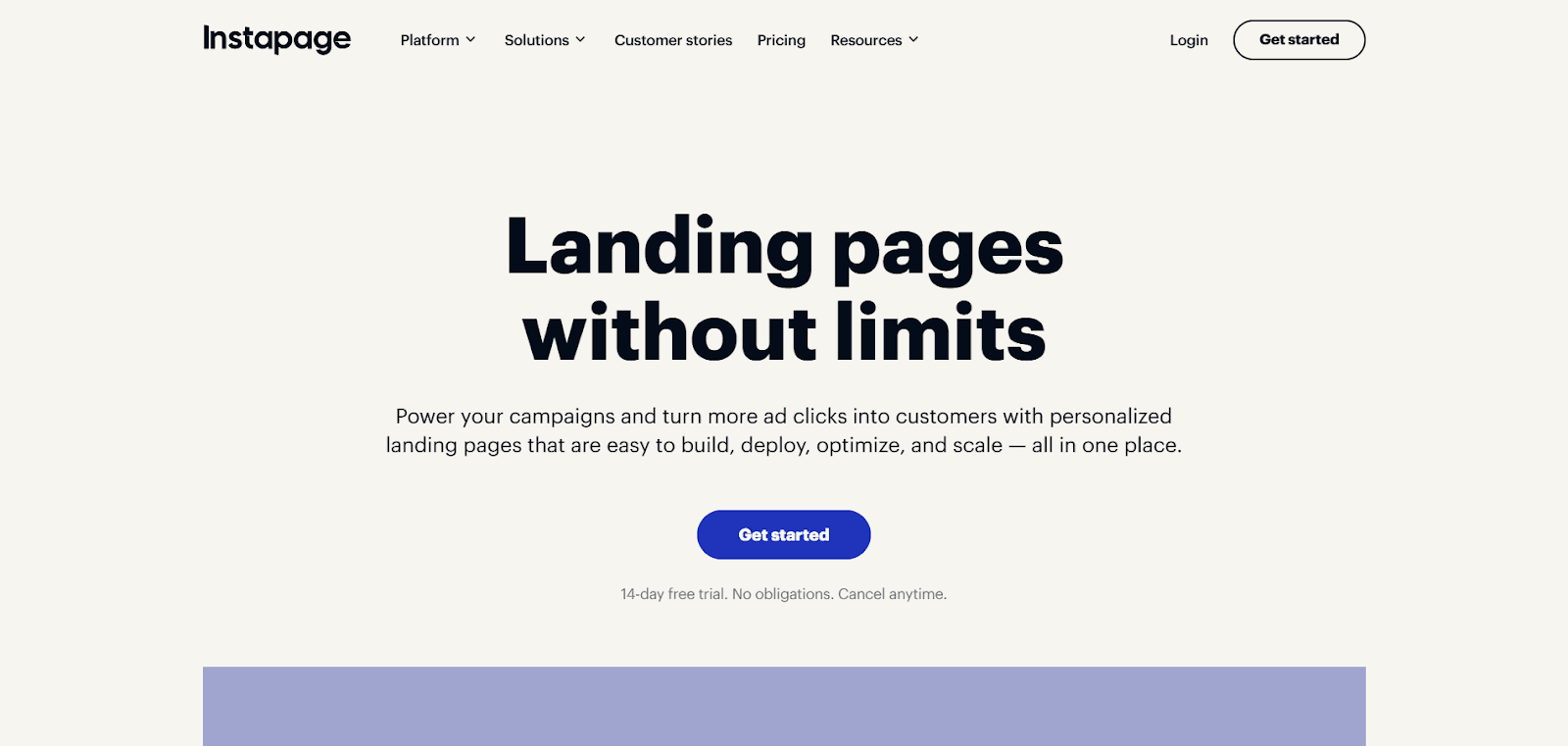
Instapage helps you build high-converting landing pages. You can choose from hundreds of optimized layouts and even generate content with the built-in AI assistant.
The platform also offers A/B testing, real-time analytics, and ad-to-page personalization for more relevant campaigns. Plus, reusable content blocks across multiple pages let you scale fast.
Key features
Tracks performance with real-time analytics and conversion data
Adds pop-ups, forms, and lead capture tools to grow your audience
Supports collaboration with team commenting and shared content blocks
Personalizes pages according to ads, visitors’ location, and behavior
Pros
Ad-to-page personalization increases relevance for visitors
Collaboration tools let teams work together directly in the builder
Cons
Advanced personalization features take time to learn
The analytics feature is quite basic
G2 rating
4.3/5 stars
Our take
Connecting Instapage to our website and getting pages live was really straightforward. Once a page was published, updating it was fast and easy. We could tweak layouts, edit copy, and adjust CTAs in minutes, hit publish, and see the changes instantly on the live site. The only issues we ran into were the inability to add drop-down buttons and the need to work directly on a mobile device to create a mobile-responsive design.
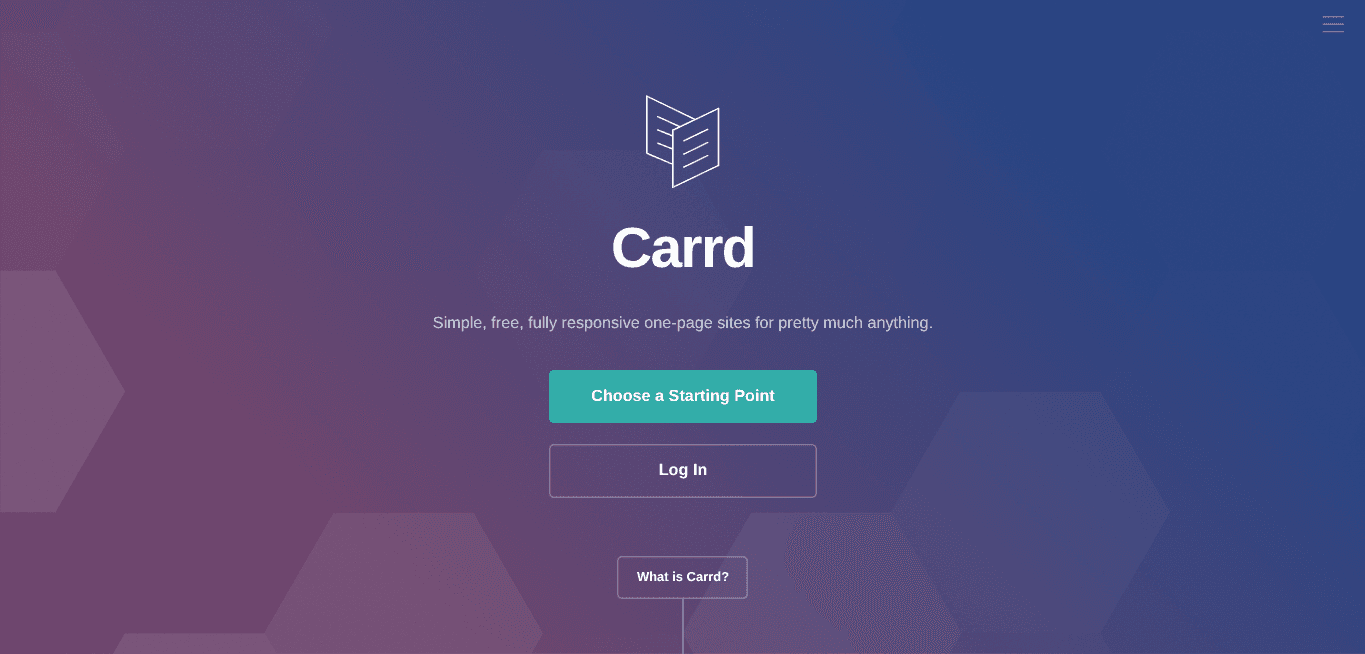
Carrd is a landing page builder where you can create fast and responsive one-page sites. It’s good for creating portfolios, personal profiles, landing pages to capture emails, or small business sites.
You can start with templates or a blank page, and everything is mobile-responsive from the start. The free plan lets you build up to three sites with core features, while the Pro plan adds custom domains, advanced forms, widgets, embeds, and analytics for more control and flexibility.
Key features
Delivers fast-loading pages with lightweight performance
Provides basic analytics to track visitor activity
Secures all published sites with SSL
Allows multiple sites under one account with the Pro plan
Pros
Pages load quickly and perform well even on mobile devices
The pricing is affordable, and the free plan lets you create basic sites
Cons
It offers fewer templates and less design flexibility compared with more advanced builders
The platform is not for building a full-fledged website with multiple landing pages
G2 rating
4.5/5 stars
Our take
The editor is easy to use, and pages load quickly on any device. Embedding videos, widgets, and custom forms works smoothly, and managing multiple sites on the Pro plan is convenient. One downside is that it only supports single-page sites, so it’s not ideal if you need a larger website.
How to Choose the Best Landing Page Builder?
Nobody waits for a sluggish page. Portent’s 2024 study showed that a landing page loading in one second converts three times more visitors than one that takes five. That single metric turns your choice of builder into a performance decision: the platform has to help you ship pages that stay light, load fast, and adapt quickly.
While picking a tool, first, you map how you work: weekly experiments, team hand-offs, hand-coded tweaks, or all of the above. Then weigh each contender against five essentials:
Editing experience: Drag-and-drop canvas or block editor makes editing pages much easier.
Template depth: Look for mobile-first, up-to-date layouts so you never start from zero.
Built-in testing: Your tool of choice should have A/B or multivariate tools with significance math included.
Integrations: Direct hooks to your CRM, email, analytics, and ad pixels are a must. Avoid brittle workarounds.
Transparent scaling: Look for clear visitor caps, domain limits, and upgrade costs.
Conversion-rate expert Peep Laja captures the stakes:
“PPC is all about relevancy—ad copy, landing page content, and audience targeting. Get any of the three wrong and you’re going to lose money.”
If your builder makes working with these elements painless, you’re already ahead.
How Do You Choose the Right Landing Page Builder in 2026?
A good landing page builder saves time, keeps pages fast, and helps you convert visitors into leads. Focus on a few key areas to evaluate each option effectively.
Speed and performance
Check how fast pages load and respond on desktop and mobile. Slow pages frustrate visitors and reduce conversions. Pick a builder that keeps your pages lightweight and reliable.
Editor experience
Look for an editor that feels intuitive and lets you make changes quickly. Drag-and-drop and visual tools save time. Make sure templates and reusable elements match your workflow.
Testing and analytics
Look for tools with built-in A/B testing and analytics. Make sure it can automate the testing workflow. You want clear insights into what is working and what is not. Real-time data helps you tweak pages effectively.
Integrations and scalability
Check how well the builder connects with your CRM, email tools, and ad platforms. Consider whether it can handle more pages as campaigns grow. Seamless integration keeps workflows smooth and consistent. That way, your pages will always be tailored to customer profiles, bringing more conversions.
Support and pricing transparency
Look at customer support options and how responsive the team is. Go through review sites like G2 to understand real customer experience with the software’s support team. Transparent pricing prevents surprises as you scale. Make sure the plan fits your needs without hidden costs.
AI in Landing Page Creation
AI is changing the way landing pages are created. Tasks that once took hours, like writing copy or testing variations, can now happen in minutes. Teams can focus on strategy while AI handles repetitive work and data-driven tweaks.
AI copy generation: Produces headlines, subheads, and call-to-actions tailored to your audience
Smart testing: Runs A/B tests automatically and highlights what performs best
Dynamic personalization: Adjusts page content based on visitor behavior, location, or device
Bulk page creation: Generates hundreds or thousands of pages from one template quickly
For example, Fibr AI offers unmatched landing page creation and optimization with AI-powered automation and personalization. It can generate hundreds and thousands of AI-personalized pages according to visitor intent, so every visitor sees content that fits their location, device, and ad source.
Our platform also handles copywriting, image suggestions, and A/B testing automatically, giving you clear insights on what works. Real-time analytics track performance, and built-in segmentation keeps campaigns targeted.
Fibr AI makes scaling campaigns fast without needing developers, while keeping pages relevant and engaging. That’s why teams using Fibr cut landing page build time by 90 % and improve conversions 2.3×!
Choosing the right landing page builder can save hours and help campaigns perform better. But make sure to assess your needs, test the tools, and choose the one that fits your workflow better.
The landing page builders we covered each have their strengths. However, some are complex for beginners, while others aren’t suitable for building multiple pages. You may find some of the options a little expensive as well.
But Fibr AI stands out as the best landing page builder in the list. You can create personalized pages at scale, test variations automatically, and get real-time insights.
Sign up for a 30-day free trial and experience the difference yourself!
What is a landing page builder?
A landing page builder is a tool that lets you create single-purpose web pages without writing code. It usually includes a visual editor, templates, forms, and analytics, so you can design, publish, and track pages in one platform.
How do I pick the right builder for my team?
To pick the right builder for your team, start by listing the tasks your team handles most, like editing pages, running A/B tests, personalizing content, and managing high-traffic campaigns. Check if the editor is easy to use, templates fit your style, and testing tools give clear results. Also, consider mobile performance, integrations with your CRM and ad platforms, and whether analytics are simple to understand.
Does Fibr have a dedicated landing page builder, and what makes it different?
Yes. Fibr has a dedicated landing page builder that combines a no-code visual editor with real-time previews for mobile and desktop. You can adjust headlines, images, or form fields without touching HTML. Built-in AI tools handle A/B testing, personalization, and optimization automatically.
Can I personalize landing pages at scale without developers?
Yes. Tools like Fibr allow teams to bulk-generate thousands of AI-personalized pages from a single Excel sheet or template. Each visitor can see content based on location, ad creative, or device, all under one URL to prevent domain sprawl.
The platform applies segmentation rules automatically and tracks performance in real time. This lets marketers serve highly relevant experiences at scale without coding or relying on multiple personalization tools.
Will using a landing page builder slow my site or hurt SEO?
No. Using a landing page builder shouldn’t slow your site or hurt SEO if you choose the right software. The best landing page builders host pages on fast servers and CDNs, compress images, and automatically include SSL. As long as third-party scripts are kept to a minimum and media files are optimized, page speed usually improves.
Can I integrate a landing page builder with my email and CRM tools?
Yes. Most modern landing page builders connect easily with email marketing platforms, CRMs, and analytics tools. This means leads captured on your pages flow directly into your workflows.
You can trigger follow-up emails, track customer journeys, and sync audience data automatically. Proper integration reduces manual work, ensures accurate data, and lets you run targeted campaigns without exporting or importing lists manually.
Do I need design skills to use a landing page builder?
No, you don’t need design skills to use a landing page builder. Drag-and-drop editors, prebuilt templates, and AI-assisted copy tools make creating pages simple. You can adjust layouts, colors, and text visually, and most builders offer responsive previews so your pages look great on mobile and desktop.
How often should I test and update my landing pages?
You should continuously test and update your landing pages. Running A/B tests, checking analytics, and tweaking copy and CTAs help improve conversion rates over time. Update pages whenever you launch a new campaign, change your offer, or notice drop-offs in user engagement.





Pritam Roy
Co-Founder @ Fibr AI
Pritam Roy, the Co-founder of Fibr, is a seasoned entrepreneur with a passion for product development and AI. A graduate of IIT Bombay, Pritam's expertise lies in leveraging technology to create innovative solutions. As a second-time founder, he brings invaluable experience to Fibr, driving the company towards its mission of redefining digital interactions through AI.
Table of Content
Read summarized version with
Did you know that companies with 10 to 15 personalized landing pages generate 55% more leads than those sticking to a single-digit lineup?
A personalized landing page pulls visitors in and guides them toward a clear action. It builds trust, highlights real value, and gives people fewer reasons to hesitate.
But to create and test personalized landing pages at scale and maximize your conversions, you need a reliable landing page builder. And this article is there to help.
Below, we have shortlisted the best 8 landing page builders after comparing dozens and listed their key features, pros and cons, and a brief verdict. This will help you compare better and choose the best tool for your needs.
Tl;DR
Fibr AI: AI-first landing page builder that auto-creates, tests, and personalizes landing pages at scale so each visitor sees the most relevant version.
Wix: Website and landing page builder for small businesses that want fast, no-code pages using templates, AI layout suggestions, and built-in hosting.
Unbounce: Conversion-focused landing page and pop-up builder with strong A/B testing, Dynamic Text Replacement, and flexible design options.
HubSpot: Landing page builder tightly integrated with CRM and email, ideal for teams that want forms, automation, and analytics in one marketing hub.
Leadpages: Landing page tool with strong collaboration, pop-ups, and alert bars, suited for teams that want to build and review pages together.
Landingi: Template-rich, AI-assisted builder for small to mid-sized teams that need reusable sections, A/B testing, and flexible publishing.
Instapage: Premium landing page platform for high-budget, high-scale campaigns with ad-to-page personalization and collaboration features.
Carrd: Lightweight builder for simple, fast-loading one-page sites like portfolios, personal profiles, and basic lead capture pages.
What are Landing Page Builders?
Landing page builders are tools that help you create focused, conversion-ready pages without coding. A landing page builder gives you the layouts, elements, and controls you need to design pages that match your offer and audience in minutes. Over 70% of marketers now use dedicated landing page software to improve campaign performance.
Here are some features the best landing page builder 2026 offers:
Drag-and-drop editors: Multiple tools come with drag-and-drop edit functionality that lets you build and edit pages visually (like adding sections or tweaking elements), without touching code.
Template libraries: Offer pre-built designs for product launches, lead magnets, webinars, or promotions for you to choose from. This ensures, you don’t have to design a page from scratch.
Built-in A/B testing: Compare different layouts, headlines, or CTAs to see which version brings in more conversions and make decisions based on real results.
Form builders: Capture leads directly on the page with custom fields, smart validation, and options like multi-step forms for higher completion rates.
Integrations: Connect your CRM, email platform, analytics tools, and ad accounts so every lead and event flows into your existing workflow automatically.
Mobile optimization: Make pages look great on every device with responsive layouts that adjust spacing, images, and text for easy reading and smooth interactions.
Analytics: Track views, clicks, scroll depth, and conversions clearly so you understand how your landing page performs and where users drop off.
What Should You Look for in a Landing Page Builder?
Here’s a quick checklist to help you focus on features that make a real difference in the best landing page builder:
✅ Straightforward editor: Lets you move elements around easily so you can shape the page the way you want without touching code.
✅ Strong template variety: Gives you flexible starting points for launches, lead magnets, events, and offer pages.
✅ AI assistance: Suggests layouts, headlines, and on-page tweaks that fit your goal.
✅ AI personalization: Creates versions for each audience, ad, or segment so visitors see content that feels relevant.
✅ A/B testing: Shows which version brings better conversions through clear comparisons.
✅ Real-time analytics: Shows traffic, clicks, and drop-off moments as they happen so you can spot what needs attention.
✅ Smooth integrations: Connects with your CRM, ad pixels, and email tools so lead data flows into your main workflow.
How Do the Best Landing Page Builders Compare With Each Other?
Before we get into the detailed overviews, here is how the best landing page builders compare with each other:
Tools | Best for | Features |
Fibr AI | AI-powered personalized landing pages | AI copy generation, automated A/B testing, dynamic personalization, bulk page creation, real-time analytics, and GEO insights |
Wix | Small businesses and simple campaigns | Drag-and-drop editor, 2000+ templates, scroll effects, AI email marketing, SEO tools |
Unbounce | Adding interactive elements like videos and pop-ups | Drag-and-drop builder, 100+ templates, pop-ups & sticky bars, video backgrounds, Dynamic Text Replacement, integrations |
HubSpot | eCommerce businesses | Drag-and-drop editor, templates, smart forms, SEO-friendly pages, device-specific content, and real-time analytics |
Leadpages | Collaborative landing page design | Mobile-responsive pages, pop-ups and alert bars, built-in analytics, and collaborative editing |
Landingi | Small to mid-size teams | Drag-and-drop editor, 400+ templates, AI tools, smart sections, A/B testing, integrations |
Instapage | High-scale campaigns and personalization | Visual editor, AI content suggestions, ad-to-page personalization, A/B testing, Collaboration, analytics, popups, forms |
Carrd | Simple one-page sites | Fast-loading pages, mobile responsive, basic analytics, SSL, and multiple sites under Pro plan |
The 8 Best Landing Page Builders 2026
Now that you know the basics of the top landing page builders, here are 8 top options to choose from. We will break down their features, pros, and cons, and talk about our experience with the tools.
Fibr AI
Fibr AI works as a landing page builder and optimization tool that automatically tests and personalizes your page variations. It refines your messaging and adjusts on-page elements, helping your landing pages convert more visitors with minimal manual effort.
Fibr AI's A/B testing engine runs multivariate tests and adapts landing pages and campaigns to the best variant. It generates individual hypotheses ranked by projected conversion lift and suggests changes to text, images, and layout elements in each hypothesis. That way, you get clear problem descriptions and impact estimates for better understanding.
Fibr AI's personalization engine monitors interaction signals and behavioral cues and adapts your web pages automatically.
You can import your ad campaigns and audience segments to tailor landing pages according to user intent for higher engagement and stronger conversion rates. Plus, it connects all your ad platforms and personalizes marketing campaigns, too.
Fibr also offers traffic allocation and visitor targeting, so your landing pages always hit the mark with all user segments. You can approve the hypothesis manually or automate the whole process for better convenience. It will instantly promote the winning variants and archive underperformers.
Key features
Automates A/B tests using AI that learns from your visitors and keeps improving your pages
Generates multiple landing pages for different audiences, ads, segments, and regions from one interface, saving time when you scale campaigns
Automatically applies brand guidelines to maintain consistency
Generates hundreds of personalized landing pages aligned with your ads with Bulk Creation
Tracks performance for every variation in your bulk flow to see what is working.
Adjusts customer reviews, testimonials, and social mentions so they fit your ad content and messaging.
Monitors GEO data to measure how well your AI-driven optimizations perform across regions
Scale experiments across many pages or audience segments without extra manual work
Connect smoothly with tools you already use so your data stays in one place
Protect your data with strong security and compliance standards across the platform
Provide a free CRO audit to show where your landing pages are losing conversions
Pros
Boosts conversions by showing the right page to the right audience.
Saves time with automated page creation and personalization.
Reduces reliance on developers for testing and updates.
Helps campaigns perform better with AI-optimized messaging
Shows how to get featured in LLMs and AI snippets
G2 rating
4.6/5 stars
Our take
Here is why Fibr AI is different from generic AI marketing tools:
Automated workflows: Fibr AI handles your full CRO process, from creating tests to improving results, so you avoid manual work and don’t have to rely on developers
Efficiency: The AI runs quick experiments and iterates fast, helping you reach the best-performing version much sooner
Bias reduction: The hybrid approach of AI automation and human review ensures every decision is based on real data and stays free from bias
Scalability: The platform adjusts your CRO strategy to fit your goals and easily supports your expanding marketing efforts
Compliance and data security: With strong privacy practices and strict policy standards, Fibr AI keeps customer data protected and maintains full compliance
Wix is an AI-powered website builder. You can just describe what you want in your landing page, and the software generates options for you. You can customize the pages as you want with drag-and-drop and advanced tailoring options. Wix also lets you market your website by launching social media ads.
Key features
Runs AI-powered email marketing to get more traffic and conversions on your landing pages
Offers over 2000 landing page templates to get you started easily
Lets you add scroll effects, animations, and interactions without coding
Offers tools for SEO and AI visibility
Pros
Easy drag‑and‑drop editor makes design simple
Built-in hosting, SSL, and basic SEO tools let you launch landing pages from one platform
Cons
Once you publish, switching to a different template usually isn't possible without rebuilding the site
The free plan comes with ads and a branded domain, which is not ideal for a professional look
G2 rating
4.2/5 stars
Our take
Integrations with apps, email tools, and eCommerce make it versatile for small businesses. One downside we found is that the AI tools can be slow and a bit complicated for beginners, so expect a small learning curve when using automation features. Overall, it’s a solid choice for anyone looking to launch pages fast without coding, especially for simple campaigns or small-scale marketing efforts.
Unbounce is a landing page builder and optimization tool. The platform offers a drag-and-drop builder, 100+ customizable templates, and AI-powered tools. You can test headlines, layouts, and offers quickly and launch optimized landing pages without relying on a developer
This landing page builder also runs split tests, tracks performance in real time, and integrates with popular marketing tools, making it easy to connect your campaigns.
Key features
Offers pop-ups and sticky bars that appear based on how visitors interact with the page
Lets you embed video backgrounds and parallax effects for more engaging page designs
Connects with CRMs, analytics tools, and automation platforms via Zapier and webhooks
Ensures security with SSL encryption, two-factor authentication, and detailed audit logs
Uses Dynamic Text Replacement to tailor content according to what visitors search for
Pros
Support for pop‑ups and sticky bars gives extra flexibility for promotions, lead capture, and secondary CTAs
Integrations with popular CRMs, email tools, analytics, and ad platforms make it easy to stitch Unbounce into your existing stack
Cons
Pricing is on the higher side
You may face a bit of a learning curve
G2 rating
4.3/5 stars
Our take
When the goal is to launch landing pages fast, especially for ads or specific promotions, it delivers. The drag‑and‑drop design, solid templates, easy publishing, and A/B testing that helps you learn what works. However, optimizing for mobile and implementing complex flows can feel a bit fiddly, in our opinion.
HubSpot
HubSpot’s marketing suite offers one of the best free landing page builders. It offers a visual editor with drag-and-drop blocks, making it easy to create pages that match your brand and campaign goals. Templates and pre-built modules help you launch quickly, while integrations with your CRM, email tools, and analytics keep all your marketing data in one place.
Key features
Offers slash and highlight commands to generate content for your landing pages
Lets you add SEO-friendly titles and descriptions to your web pages with just a few clicks
Shows different content according to the visitor’s device, lifecycle stage, contact details, and locations stored in your CRM
Identifies your top-performing landing pages
Pros
Smart forms and lead capture tools improve conversions
Real-time analytics provide clear insights into visitor behavior
Cons
Fewer design effects and animations compared with specialized page builders
Workflow and automation setup can be complex for new users
G2 rating
4.4/5 stars
Our take
We found HubSpot’s landing page builder very intuitive and reliable. The drag-and-drop editor, templates, and smart forms make creating pages quick, while real-time analytics show exactly how visitors engage. Everything connects seamlessly with the CRM and email tools, keeping lead data organized. However, the editor felt a bit slow when working with large pages with heavy media.
Leadpages is another top landing page builder. The highlight of this tool is its collaborative landing page design features. You can assign individual logins for every team member and leave feedback right in the builder.
The platform also offers conversion tips so you know what to improve as you build. You get pop-ups, alert bars, and lead capture forms that work together to grow your subscriber list. Leadpages also lets you A/B tests to compare ideas and understand what your audience responds to.
Key features
Supports mobile-responsive design, keeping your pages clear and attractive on any device
Lets you publish quickly to your own domain or a Leadpages-hosted URL
Integrates with email, CRM, and payment tools so leads flow directly into your workflows
Tracks page performance with built-in analytics, showing views, clicks, and conversions
Pros
Mobile‑responsive templates and secure hosting with SSL give confidence that pages will load reliably and safely on any device
The direct feedback option and collaborative features keep the entire team aligned
Cons
Some templates feel dated compared with competitors’ modern designs
The A/B testing feature isn’t advanced enough
G2 rating
4.2/5 stars
Our take
While LeadPages is quite easy to use, the plans are quite expensive. The support is not prompt enough either.
Landingi is a landing page builder that helps you create, publish, and optimize landing pages with the help of AI. It comes with a drag‑and‑drop editor, a library of over 400 templates, and features like A/B testing, pop‑ups, and built-in analytics.
The platform also supports integrations with popular CRM and marketing tools, and lets you work on microsites, one‑pagers, and mobile‑optimized pages
Key features
AI-powered tools for landing page copy, SEO metadata, and image editing inside the builder
Smart sections and reusable blocks to apply section changes across multiple pages
Built in A/B testing and analytics to compare page versions and track clicks, conversions, and scrolls
Flexible publishing options to a custom domain, subdomain, and embed on WordPress and PHP sites
Pros
Over 400 templates cover a wide range of industries and campaign types
Smart sections and reusable blocks save time when managing multiple pages
Cons
Design flexibility can be limited for highly customized and branded pages
Mobile view editing can feel clunky for precise layout adjustments
G2 rating
4.5/5 stars
Our take
We found the platform to be fairly useful for smaller teams just starting out with landing page creation. Pop-ups and sticky bars give extra ways to capture leads without extra tools. One downside is that some of the AI and optimization features feel a bit slow, which can be frustrating when you want to make quick changes.
Instapage helps you build high-converting landing pages. You can choose from hundreds of optimized layouts and even generate content with the built-in AI assistant.
The platform also offers A/B testing, real-time analytics, and ad-to-page personalization for more relevant campaigns. Plus, reusable content blocks across multiple pages let you scale fast.
Key features
Tracks performance with real-time analytics and conversion data
Adds pop-ups, forms, and lead capture tools to grow your audience
Supports collaboration with team commenting and shared content blocks
Personalizes pages according to ads, visitors’ location, and behavior
Pros
Ad-to-page personalization increases relevance for visitors
Collaboration tools let teams work together directly in the builder
Cons
Advanced personalization features take time to learn
The analytics feature is quite basic
G2 rating
4.3/5 stars
Our take
Connecting Instapage to our website and getting pages live was really straightforward. Once a page was published, updating it was fast and easy. We could tweak layouts, edit copy, and adjust CTAs in minutes, hit publish, and see the changes instantly on the live site. The only issues we ran into were the inability to add drop-down buttons and the need to work directly on a mobile device to create a mobile-responsive design.
Carrd is a landing page builder where you can create fast and responsive one-page sites. It’s good for creating portfolios, personal profiles, landing pages to capture emails, or small business sites.
You can start with templates or a blank page, and everything is mobile-responsive from the start. The free plan lets you build up to three sites with core features, while the Pro plan adds custom domains, advanced forms, widgets, embeds, and analytics for more control and flexibility.
Key features
Delivers fast-loading pages with lightweight performance
Provides basic analytics to track visitor activity
Secures all published sites with SSL
Allows multiple sites under one account with the Pro plan
Pros
Pages load quickly and perform well even on mobile devices
The pricing is affordable, and the free plan lets you create basic sites
Cons
It offers fewer templates and less design flexibility compared with more advanced builders
The platform is not for building a full-fledged website with multiple landing pages
G2 rating
4.5/5 stars
Our take
The editor is easy to use, and pages load quickly on any device. Embedding videos, widgets, and custom forms works smoothly, and managing multiple sites on the Pro plan is convenient. One downside is that it only supports single-page sites, so it’s not ideal if you need a larger website.
How to Choose the Best Landing Page Builder?
Nobody waits for a sluggish page. Portent’s 2024 study showed that a landing page loading in one second converts three times more visitors than one that takes five. That single metric turns your choice of builder into a performance decision: the platform has to help you ship pages that stay light, load fast, and adapt quickly.
While picking a tool, first, you map how you work: weekly experiments, team hand-offs, hand-coded tweaks, or all of the above. Then weigh each contender against five essentials:
Editing experience: Drag-and-drop canvas or block editor makes editing pages much easier.
Template depth: Look for mobile-first, up-to-date layouts so you never start from zero.
Built-in testing: Your tool of choice should have A/B or multivariate tools with significance math included.
Integrations: Direct hooks to your CRM, email, analytics, and ad pixels are a must. Avoid brittle workarounds.
Transparent scaling: Look for clear visitor caps, domain limits, and upgrade costs.
Conversion-rate expert Peep Laja captures the stakes:
“PPC is all about relevancy—ad copy, landing page content, and audience targeting. Get any of the three wrong and you’re going to lose money.”
If your builder makes working with these elements painless, you’re already ahead.
How Do You Choose the Right Landing Page Builder in 2026?
A good landing page builder saves time, keeps pages fast, and helps you convert visitors into leads. Focus on a few key areas to evaluate each option effectively.
Speed and performance
Check how fast pages load and respond on desktop and mobile. Slow pages frustrate visitors and reduce conversions. Pick a builder that keeps your pages lightweight and reliable.
Editor experience
Look for an editor that feels intuitive and lets you make changes quickly. Drag-and-drop and visual tools save time. Make sure templates and reusable elements match your workflow.
Testing and analytics
Look for tools with built-in A/B testing and analytics. Make sure it can automate the testing workflow. You want clear insights into what is working and what is not. Real-time data helps you tweak pages effectively.
Integrations and scalability
Check how well the builder connects with your CRM, email tools, and ad platforms. Consider whether it can handle more pages as campaigns grow. Seamless integration keeps workflows smooth and consistent. That way, your pages will always be tailored to customer profiles, bringing more conversions.
Support and pricing transparency
Look at customer support options and how responsive the team is. Go through review sites like G2 to understand real customer experience with the software’s support team. Transparent pricing prevents surprises as you scale. Make sure the plan fits your needs without hidden costs.
AI in Landing Page Creation
AI is changing the way landing pages are created. Tasks that once took hours, like writing copy or testing variations, can now happen in minutes. Teams can focus on strategy while AI handles repetitive work and data-driven tweaks.
AI copy generation: Produces headlines, subheads, and call-to-actions tailored to your audience
Smart testing: Runs A/B tests automatically and highlights what performs best
Dynamic personalization: Adjusts page content based on visitor behavior, location, or device
Bulk page creation: Generates hundreds or thousands of pages from one template quickly
For example, Fibr AI offers unmatched landing page creation and optimization with AI-powered automation and personalization. It can generate hundreds and thousands of AI-personalized pages according to visitor intent, so every visitor sees content that fits their location, device, and ad source.
Our platform also handles copywriting, image suggestions, and A/B testing automatically, giving you clear insights on what works. Real-time analytics track performance, and built-in segmentation keeps campaigns targeted.
Fibr AI makes scaling campaigns fast without needing developers, while keeping pages relevant and engaging. That’s why teams using Fibr cut landing page build time by 90 % and improve conversions 2.3×!
Content
Choosing the right landing page builder can save hours and help campaigns perform better. But make sure to assess your needs, test the tools, and choose the one that fits your workflow better.
The landing page builders we covered each have their strengths. However, some are complex for beginners, while others aren’t suitable for building multiple pages. You may find some of the options a little expensive as well.
But Fibr AI stands out as the best landing page builder in the list. You can create personalized pages at scale, test variations automatically, and get real-time insights.
Sign up for a 30-day free trial and experience the difference yourself!
FAQs
What is a landing page builder?
A landing page builder is a tool that lets you create single-purpose web pages without writing code. It usually includes a visual editor, templates, forms, and analytics, so you can design, publish, and track pages in one platform.
How do I pick the right builder for my team?
To pick the right builder for your team, start by listing the tasks your team handles most, like editing pages, running A/B tests, personalizing content, and managing high-traffic campaigns. Check if the editor is easy to use, templates fit your style, and testing tools give clear results. Also, consider mobile performance, integrations with your CRM and ad platforms, and whether analytics are simple to understand.
Does Fibr have a dedicated landing page builder, and what makes it different?
Yes. Fibr has a dedicated landing page builder that combines a no-code visual editor with real-time previews for mobile and desktop. You can adjust headlines, images, or form fields without touching HTML. Built-in AI tools handle A/B testing, personalization, and optimization automatically.
Can I personalize landing pages at scale without developers?
Yes. Tools like Fibr allow teams to bulk-generate thousands of AI-personalized pages from a single Excel sheet or template. Each visitor can see content based on location, ad creative, or device, all under one URL to prevent domain sprawl.
The platform applies segmentation rules automatically and tracks performance in real time. This lets marketers serve highly relevant experiences at scale without coding or relying on multiple personalization tools.
Will using a landing page builder slow my site or hurt SEO?
No. Using a landing page builder shouldn’t slow your site or hurt SEO if you choose the right software. The best landing page builders host pages on fast servers and CDNs, compress images, and automatically include SSL. As long as third-party scripts are kept to a minimum and media files are optimized, page speed usually improves.
Can I integrate a landing page builder with my email and CRM tools?
Yes. Most modern landing page builders connect easily with email marketing platforms, CRMs, and analytics tools. This means leads captured on your pages flow directly into your workflows.
You can trigger follow-up emails, track customer journeys, and sync audience data automatically. Proper integration reduces manual work, ensures accurate data, and lets you run targeted campaigns without exporting or importing lists manually.
Do I need design skills to use a landing page builder?
No, you don’t need design skills to use a landing page builder. Drag-and-drop editors, prebuilt templates, and AI-assisted copy tools make creating pages simple. You can adjust layouts, colors, and text visually, and most builders offer responsive previews so your pages look great on mobile and desktop.
How often should I test and update my landing pages?
You should continuously test and update your landing pages. Running A/B tests, checking analytics, and tweaking copy and CTAs help improve conversion rates over time. Update pages whenever you launch a new campaign, change your offer, or notice drop-offs in user engagement.
Pritam Roy
Co-Founder @ Fibr AI
Pritam Roy, the Co-founder of Fibr, is a seasoned entrepreneur with a passion for product development and AI. A graduate of IIT Bombay, Pritam's expertise lies in leveraging technology to create innovative solutions. As a second-time founder, he brings invaluable experience to Fibr, driving the company towards its mission of redefining digital interactions through AI.


